Sarees
AI saree photoshoot, from one product photo
A Banarasi silk saree sells on the drape, the zari border and the pallu, so all three must read clearly. Start from one photo of the saree folded and fanned out. Here one saree photo becomes looks on Meera, Kavya (plus size) and Sunita (in her fifties), so shoppers of every age and build see themselves in it.
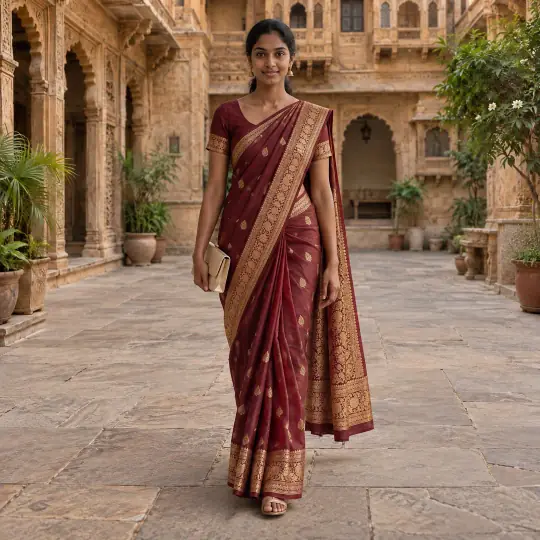
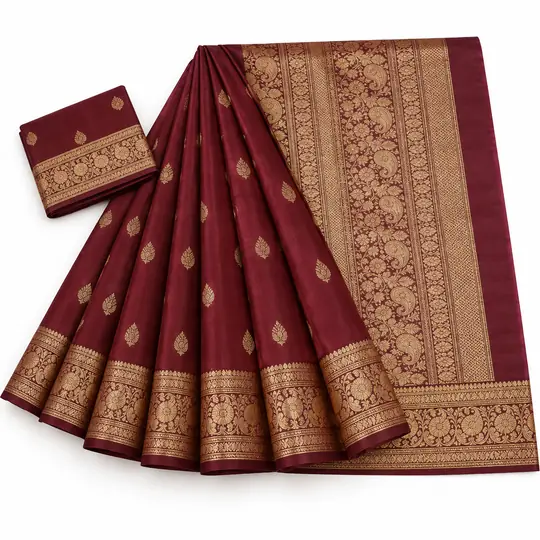
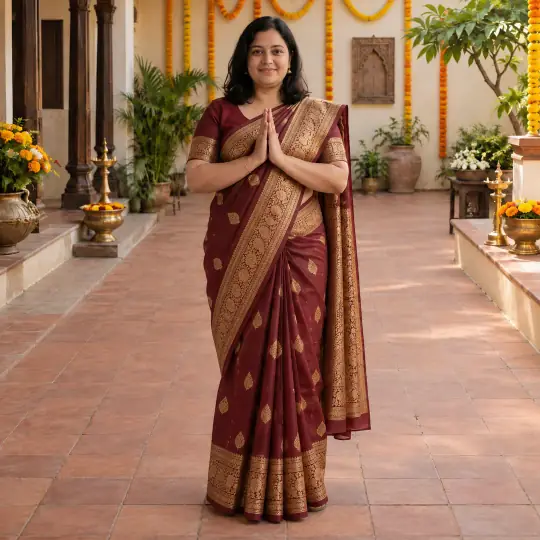
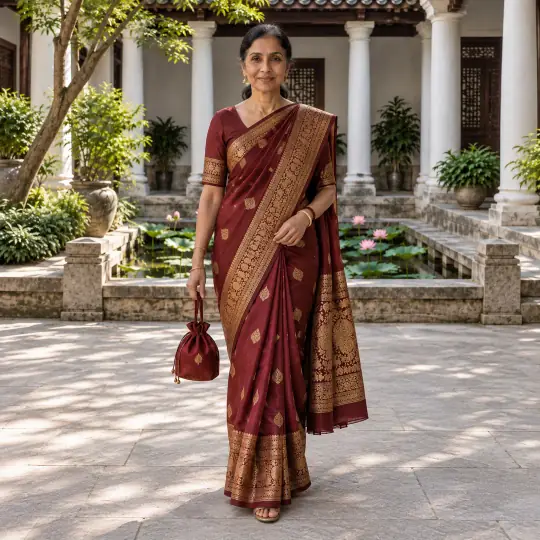
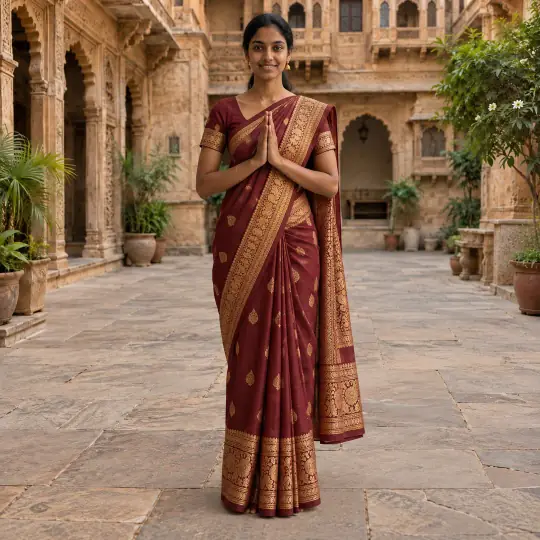
Different models, different scenes: the photo in the corner of the first image is the one product photo the lead result was made from. Made in the Aaina app, for 5 credits a photo. The product photo is an AI-generated, unbranded demonstration input.
Before you upload
The product photo
- Fold the saree so the border and pallu both show; a flat lay on a plain sheet works.
- Add a close-up of the zari or print as a Detail photo, so the pattern stays right.
- If you sell it with a blouse, include the blouse in the same photo.
More in preparing product photos.
In the app
Poses and scenes that work
- Walking: the full drape in motion, and how the pallu falls.
- Namaste: a front-on festive pose that shows the border and pallu together.
- Add a back or side pose from the catalogue to show the pallu from behind.
Heritage and festive scenes such as Haveli Courtyard and Marigold Festive Set suit silk sarees. Use White Studio for the main marketplace photo.
Will the border and pallu stay true to your saree?
Choose a saree you can inspect in person. A generated drape can look convincing while changing a motif, border or blouse detail, so judge the product rather than the scene.
- Border and repeats
- Compare the width and motif order at the hem and pallu. Look for repeats that merge, disappear or change between poses.
- Blouse and fabric
- Check neckline, sleeves and embroidery against the supplied piece. A generated sheen or fold does not prove fabric weight, stretch or transparency.
- Views for the listing
- Keep an original flat-lay and detail photo alongside the lifestyle views, particularly where the exact weave or pallu design affects the purchase.
Retry a changed detail if it can be corrected. If the design remains uncertain, keep the real product photo for that view. An on-model AI image does not establish a garment’s measurements or fit.
Each paid retry uses 5 credits, like a first attempt. Count rejected attempts when you compare costs. Work out your cost per usable photo.
The demonstration inputs above are AI-generated and unbranded. See the source of our examples, then test with your own product. Prepare a real-product input.
What to check before you publish
Compare the border width and pallu pattern with your product before you publish, and make it again with a note if they drift. A photo can be made again with a different pose, scene or a short note, and each version is kept. How to make again and compare.
More models for this product: browse all 350+ on the models page.
What it costs
Each image uses 5 credits, whichever model, pose or scene you choose: ₹12 to ₹15US$0.35 to US$0.50 a photo depending on the pack or plan. The three photos in a typical first shoot would use 15 credits. New accounts get 25 free credits. Pricing.
Any pose can also be shown as full length, head to knee, waist up or close-up, with a neutral, soft smile, big smile, serious or looking-away expression, at no extra cost. With adult models, a pose that isn't in the catalogue can be described in words at no extra cost. See everything Aaina can make for a listing in features.