Men's Watches · with Marco, Gabriel and James
AI men's watch photoshoot, from one product photo
A watch is small, so choose the pose and the frame for the job: set the frame to Waist up to bring the wrist closer, as in Marco's and Gabriel's photos, or keep a full-length look for the whole outfit. Photograph the watch face on, with the bracelet or strap open. Women's watches and bracelet close-ups are on women's watches.
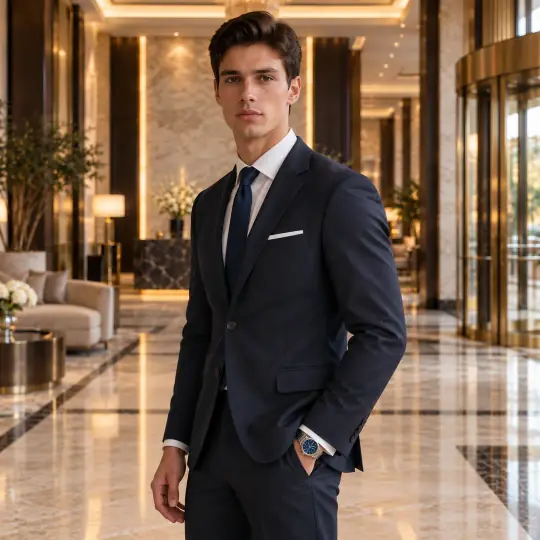
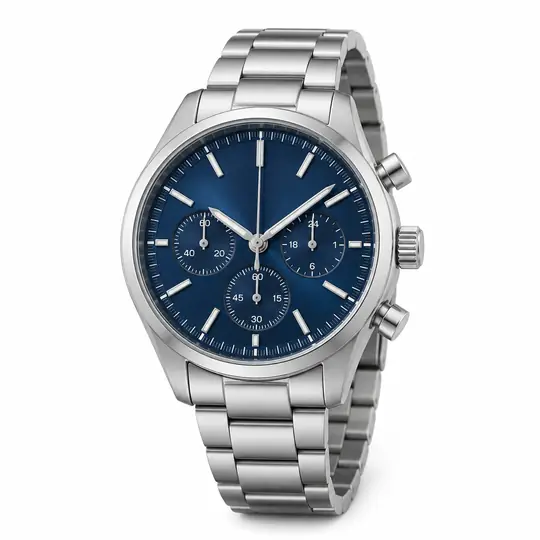
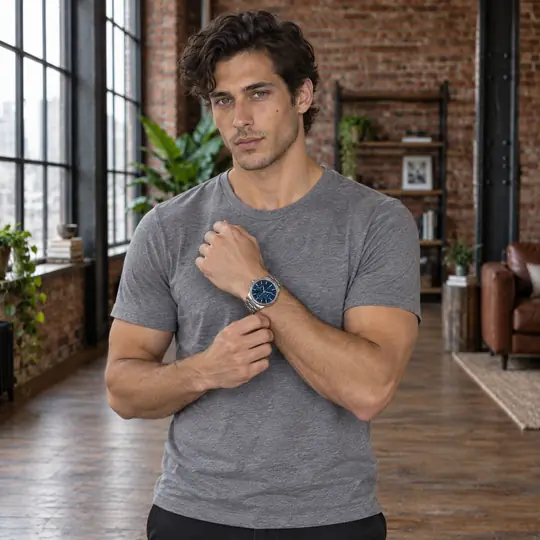

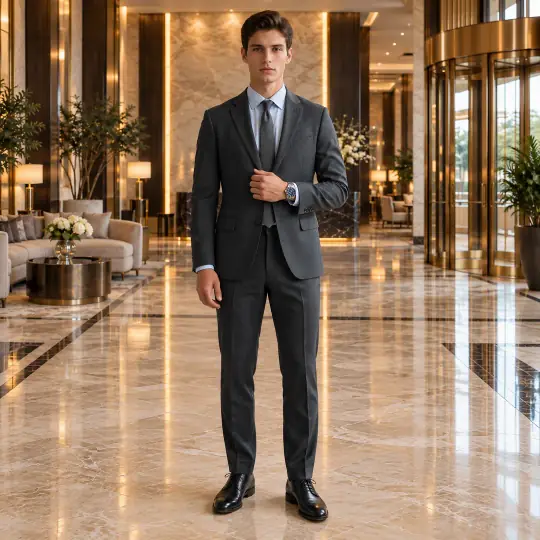
Shown here: Marco, Gabriel and James, Aaina models. The photo in the corner of the first image is the one product photo it was made from. Made in the Aaina app, for 5 credits a photo; the product photo is an AI-generated, unbranded demonstration input.
Before you upload
The product photo
- Photograph the watch face on, bracelet or strap laid open.
- Avoid reflections on the dial; they can be read as markings.
- Add a side photo for the case and crown.
More in preparing product photos.
In the app
Poses and scenes that work
- A cuff pull puts the wrist at chest height, the dial facing the camera.
- Hands loosely clasped: a relaxed full-length look.
- Wrists crossed: the closest view of the dial.
Luxury scenes such as Hotel Lobby suit dress watches; a studio scene keeps a sports watch clean.
What it costs
5 credits a photo, whichever model, pose or scene you choose: ₹12 to ₹15US$0.35 to US$0.50 depending on the pack or plan. Pricing. More models for this product: browse all 350+ on the models page.
What to check before you publish
Compare each photo with your product photo: the dial markers, the case colour, the strap or bracelet links, and the size against the wrist. Make any photo again with a note on what should change; every version is kept. How to make a photo again. Also see everything else Aaina makes for a listing.