Necklaces & Earrings
AI jewellery photoshoot, from one product photo
Jewellery needs a close pose so the piece is large enough to see. Photograph the set on a plain background with every part visible.
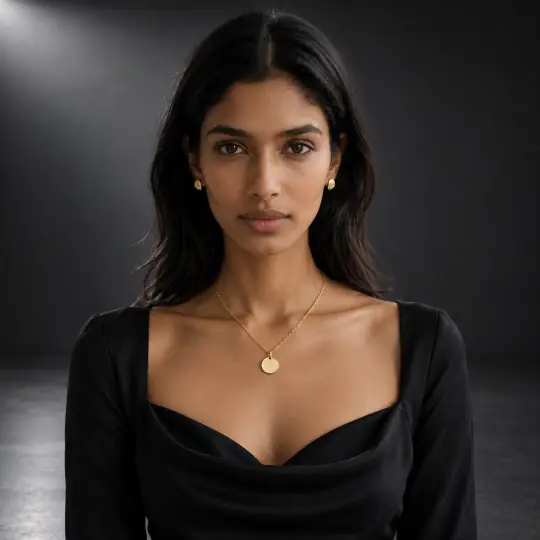
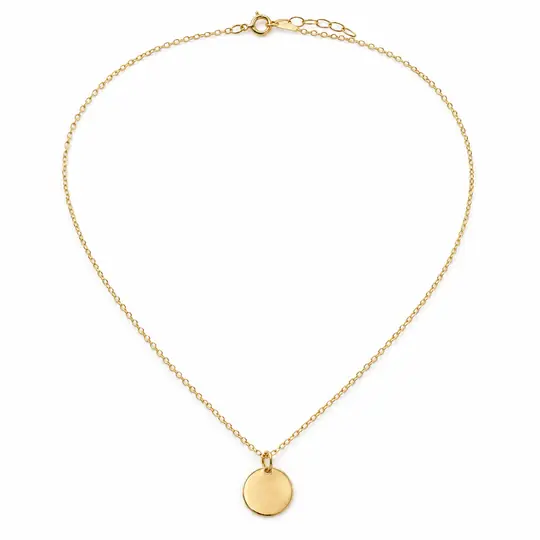
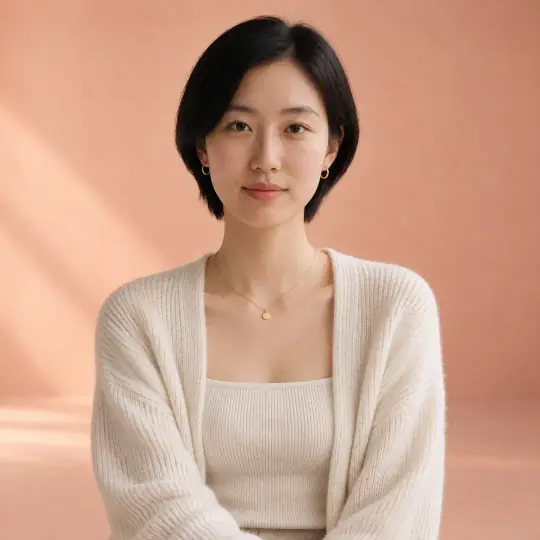
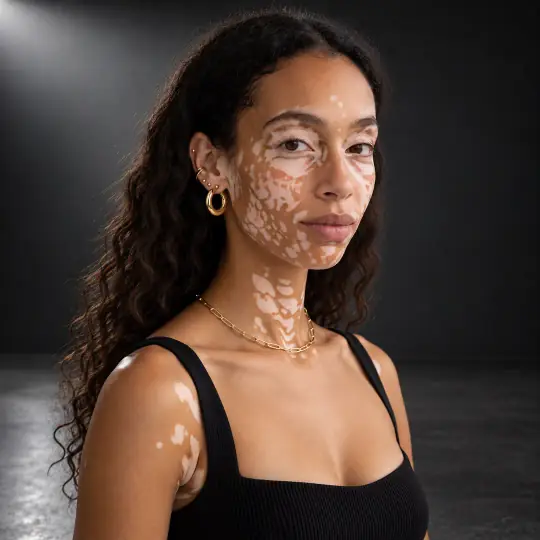
Different models, different scenes: the photo in the corner of the first image is the one product photo the lead result was made from. Made in the Aaina app, for 5 credits a photo. The product photo is an AI-generated, unbranded demonstration input.
Before you upload
The product photo
- Photograph the necklace laid in its natural shape, with the earrings beside it.
- Use good light so stones and metal read clearly.
- Add a close-up of the pendant or centre stone.
More in preparing product photos.
In the app
Poses and scenes that work
- Front neckline: the necklace centred and close.
- Three-quarter fall: shows how the necklace sits and the earrings.
- Hand near collarbone: a styled close-up.
Charcoal Premium Studio and other dark studio scenes make gold and stones stand out; lighter studios suit silver and pearls.
Check the piece at the size your customer will inspect
Fine jewellery can become attractive but inaccurate when small details are reconstructed. Check a close crop of the generated result against a sharp original before using it to sell the piece.
- Stones and settings
- Count stones and drops; compare prongs, gaps, pendant shape and the left/right pair. Reject an added stone or changed setting.
- Chain, clasp and metal
- Look for joined links, a missing fastening or a change in metal colour. A generated shine cannot establish hallmarking, stone grade or material.
- Scale and fine text
- Verify apparent size using the real item’s dimensions. Keep an original macro photo for engraving, hallmarks and details too small to judge on a model.
Use on-model photos for styling and context only when the product passes inspection. Keep real close-ups for exact construction and details that cannot be verified in the AI result.
Each paid retry uses 5 credits, like a first attempt. Count rejected attempts when you compare costs. Work out your cost per usable photo.
The demonstration inputs above are AI-generated and unbranded. See the source of our examples, then test with your own product. Prepare a real-product input.
What to check before you publish
Check the number of stones and drops, and the metal colour, against your product. A photo can be made again with a different pose, scene or a short note, and each version is kept. How to make again and compare.
More models for this product: browse all 350+ on the models page.
What it costs
Each image uses 5 credits, whichever model, pose or scene you choose: ₹12 to ₹15US$0.35 to US$0.50 a photo depending on the pack or plan. The three photos in a typical first shoot would use 15 credits. New accounts get 25 free credits. Pricing.
Any pose can also be shown as full length, head to knee, waist up or close-up, with a neutral, soft smile, big smile, serious or looking-away expression, at no extra cost. With adult models, a pose that isn't in the catalogue can be described in words at no extra cost. See everything Aaina can make for a listing in features.