1
Open the studio menu
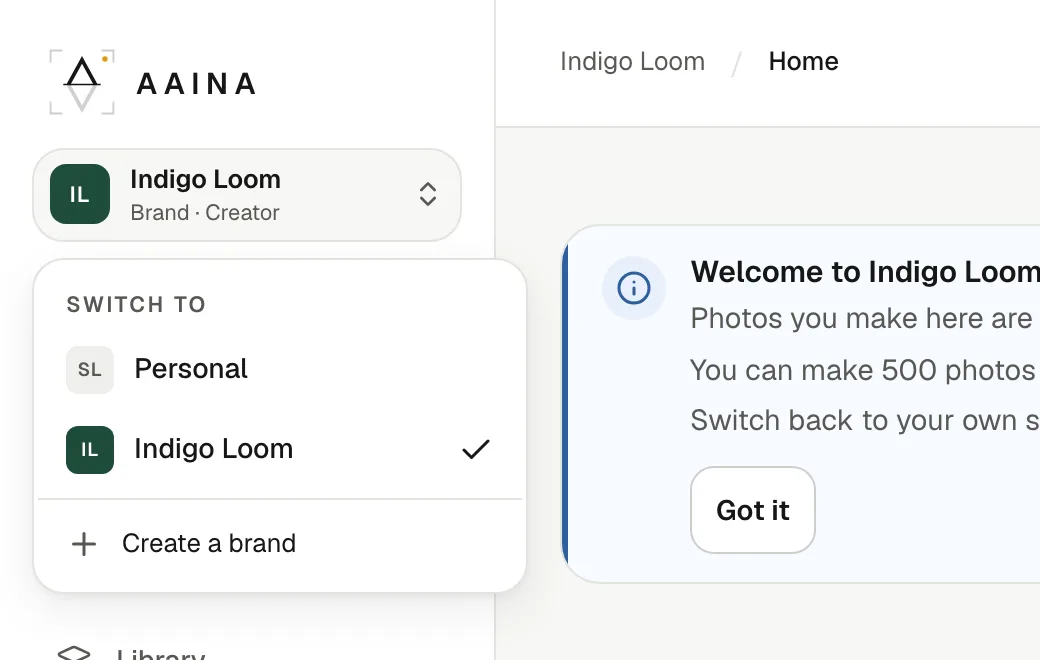
At the top of the sidebar is the studio you are in now: Personal for your own studio, or a brand's name with your role in it. Press it to see Switch to, with your personal studio and every brand you belong to, and Create a brand.
2
Work inside the brand
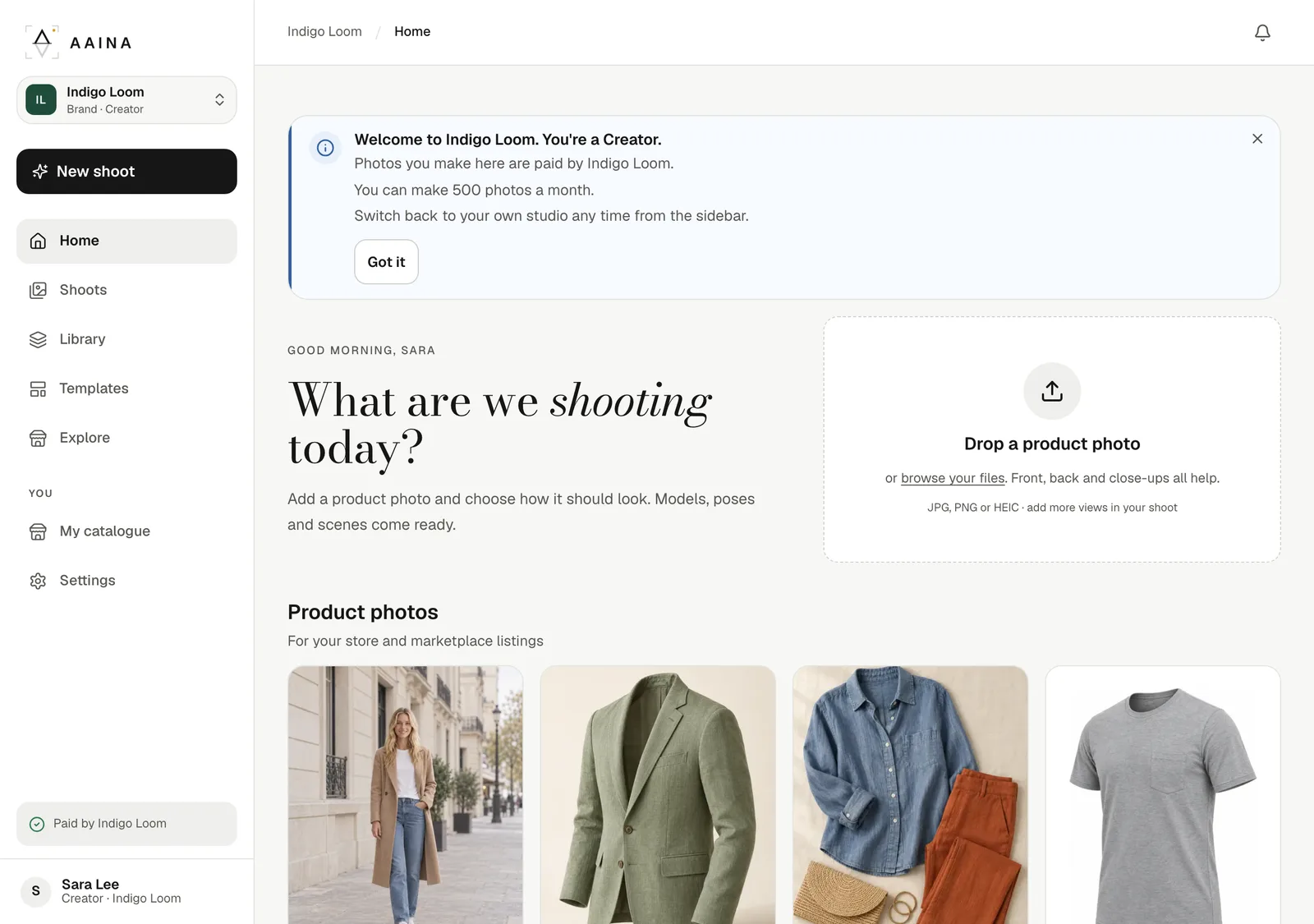
Inside a brand, Home, Shoots and Library show the brand's products, shoots and photos, and the credits box at the foot of the sidebar shows the brand's credits. A Creator sees Paid by the brand instead, unless the brand shows prices. The first time you open a brand, a short note tells you your role and any monthly limit.
What stays separate
- Credits. Your personal credits pay for what you make in your studio; the brand's credits pay for what you make in the brand. They never mix.
- Products, shoots and photos. What you make inside a brand belongs to the brand and stays there if you leave. Each photo shows who made it.
- Your own models, poses and scenes. Made in a brand, they are the brand's; made in your studio, they are yours.
- Try on me with your own photo is part of your personal studio.
Website only
Brands, plans and the activity log are on the website for now. The Aaina phone app keeps working with your personal studio.